

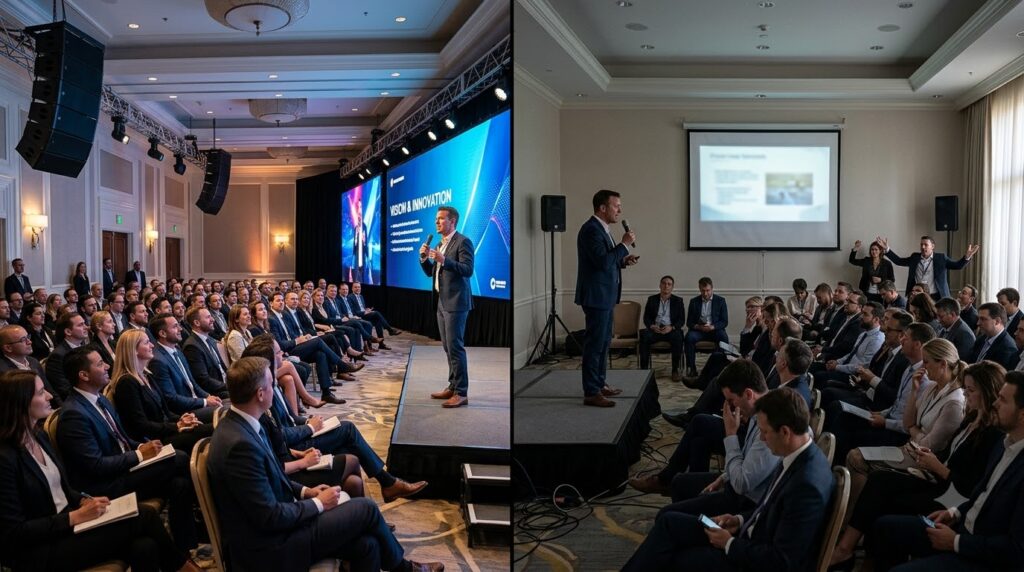
A banquet hall may have attractive décor, comfortable tables and an excellent menu, but guests will still notice when they cannot hear a speech or see a presentation.
A microphone that cuts out can interrupt a wedding toast. An unreadable projector can weaken a corporate presentation. Poorly positioned speakers may make one side of the room uncomfortably loud while guests on the other side struggle to hear announcements.
That is why audiovisual planning should begin before the venue agreement is signed.
Booking a banquet hall with AV equipment can reduce the number of outside rentals and technical vendors an event host must coordinate. However, the words “AV available” do not explain:
- Which equipment is provided
- Whether it is included or rented separately
- How many microphones are available
- Whether a projection screen is included
- Which devices can connect
- Who handles setup
- Whether technical support is available
- What happens if equipment fails
The correct question is not merely:
Does the venue have AV equipment?
It is:
Does the venue have the right AV equipment for this event, room layout and audience?
Trio’s Banquet Hall in New Port Richey advertises more than 5,000 square feet of event space, capacity for up to 250 guests, AV equipment rental, microphones, projectors, catering options, free parking and event staff. Exact equipment, availability and rental terms should be confirmed for the selected date.
Quick Answer: Why Is AV Equipment Important in a Banquet Hall?
AV equipment helps guests hear, see and follow the event.
Depending on the occasion, it may support:
- Wedding vows and toasts
- Birthday speeches and slideshows
- Corporate presentations
- Training sessions
- Awards
- Fundraising appeals
- Music and entertainment
- Video playback
- Event announcements
- Remote or hybrid participation
The most important booking checks are:
- Equipment inventory
- Microphone quantity and type
- Speaker coverage
- Projector and screen visibility
- Device compatibility
- Internet and power requirements
- Setup and testing
- Technical support
- Backup procedures
- Additional AV charges
What Counts as AV Equipment?
AV means audiovisual.
AVIXA, the professional audiovisual industry association, describes AV equipment as technology used to deliver sound and visual content. Common audio components include microphones, speakers and amplifiers, while visual components include projectors, monitors and cameras.
In a banquet hall, AV may include:
- Wired microphones
- Wireless microphones
- Speakers
- Amplifiers
- Sound controls
- Projectors
- Projection screens
- Display monitors
- Laptop connections
- Video playback
- Music inputs
- Internet access
- Cameras
- Lighting controls
Not every banquet hall provides all of these items.
Not every event needs them all either.
A birthday dinner using background music has different requirements from a corporate seminar with multiple presenters, videos and remote attendees.
Five Reasons AV Should Be Planned Before Booking
1. Guests must be able to hear
Sound is essential when the event includes:
- Speeches
- Vows
- Announcements
- Panel discussions
- Awards
- Training
- Entertainment
The number and type of microphones should match the event.
For example:
| Event activity | Possible microphone need |
| Single wedding toast | One handheld microphone |
| Ceremony vows | Wireless or discreet microphone setup |
| Corporate presentation | Handheld or lapel microphone |
| Panel discussion | Multiple microphones |
| Audience questions | Additional handheld microphone |
| Awards dinner | Presenter microphone plus music cues |
AVIXA notes that microphone selection should consider venue size, the number of speakers and the required audio coverage. Speaker requirements also vary according to the room, audience and type of event.
Do not assume that one microphone automatically provides clear sound throughout a large banquet hall.
Ask how the system covers the room and whether it will be tested with the actual seating layout.
2. Visual content must remain visible
Projectors and screens may be used for:
- Wedding slideshows
- Birthday videos
- Corporate presentations
- Sponsor recognition
- Training materials
- Event schedules
- Awards
- Memorial tributes
- Company branding
Projector performance depends on more than whether the machine turns on.
Important factors include:
- Screen size
- Viewing distance
- Room lighting
- Projector brightness
- Resolution
- Placement
- Connection type
- Content format
AVIXA explains that projector brightness, resolution and connectivity should match the room and intended use. Ambient light also affects screen visibility.
Before approving the floor plan, check the screen from:
- The front row
- The back row
- Side tables
- The presenter’s position
- The AV control area
A projector is not useful when half the guests are staring at the back of someone’s centerpiece.
3. AV affects the room layout
AV equipment and seating cannot be planned separately.
The layout influences:
- Screen visibility
- Speaker coverage
- Microphone movement
- Cable routes
- Presenter space
- DJ placement
- Lighting
- Power access
AVIXA’s needs-assessment guidance states that room size and layout affect display size, speaker placement and viewing angles. It also notes that acoustics, lighting, outlets and infrastructure should be evaluated before finalizing an AV plan.
Theater layout
Priorities include:
- Strong front-facing sound
- Clear screen visibility
- Presenter microphone
- Unblocked aisles
Classroom layout
The setup may also require:
- Laptop power
- Writing space
- Presenter connections
- Screen visibility above tables
Banquet rounds
Check whether:
- Guests must turn completely around
- Centerpieces block the screen
- Speakers overwhelm nearby tables
- Microphone sound reaches the back
- Cables cross server routes
Wedding reception layout
Plan for:
- DJ or music equipment
- Toast microphone
- First-dance music
- Announcement coverage
- Optional slideshow
- Clear routes around the dance floor
The AV plan should be reviewed after the room layout is drafted, not after every table has already been placed.
4. Compatibility problems can delay the event
A venue may provide a projector, but the presenter’s laptop may not connect to it without the correct adapter.
Before the event, confirm:
- HDMI availability
- USB-C requirements
- Audio connection
- Wireless presentation options
- Supported video formats
- Screen aspect ratio
- Internet requirements
- Device charging
- Available outlets
- Extension-cord policy
Corporate presenters should provide information about their devices before event day.
Wedding and birthday hosts should test:
- Slideshows
- Music files
- Videos
- Audio tracks
- Playback order
Do not rely entirely on a file stored inside one person’s phone.
Maintain a second copy on another approved device or storage method.
5. AV failures need a backup plan
Even properly tested equipment may experience a problem.
Ask:
- Is a spare microphone available?
- Are replacement batteries provided?
- Is there a backup cable or adapter?
- Can music continue if one device disconnects?
- Is another display option available?
- Who troubleshoots the equipment?
- Who has authority to pause the program?
- Can the schedule continue without the visual presentation?
A practical backup plan may include:
- Printed speaker notes
- A second presentation copy
- Backup audio files
- Extra batteries
- Duplicate adapters
- A second microphone
- Venue and vendor contact information
- An adjusted event timeline
The objective is not to create a miniature electronics warehouse.
It is to prevent one cable from becoming the event’s most influential guest.
AV Needs by Event Type
Weddings
Common wedding AV needs include:
- Ceremony music
- Vow reinforcement
- Reception entrance music
- Toast microphone
- First-dance music
- Announcements
- Slideshow or video
- DJ connections
Couples should clarify whether ceremony and reception spaces use the same equipment.
Moving an audio system between rooms may require additional time, labor or rental fees.
Wedding questions
- Is a microphone available for the ceremony?
- Can the officiant use a wireless microphone?
- Can the DJ connect to the venue system?
- Who plays entrance and dance music?
- Is a projector screen available?
- Can sound be tested during the rehearsal?
- Are outdoor AV services available, when relevant?
Birthdays and family celebrations
A private celebration may use AV for:
- Background music
- Cake announcements
- Speeches
- Photo montages
- Tribute videos
- Games
- Raffles
- Guest-of-honor entrances
A smaller event may need only music and one microphone.
A milestone birthday or anniversary may need a projector, screen, video sound and scheduled presentation cues.
The equipment should match the program rather than being added merely because it is available.
Corporate meetings and seminars
Corporate events may require:
- Projector
- Screen
- Presenter microphone
- Multiple panel microphones
- Laptop connection
- Video playback
- Internet
- Remote meeting platform
- Camera
- Audience questions
- Presentation control
- Technical support
Do not assume that general Wi-Fi access is suitable for a live hybrid event.
Ask about:
- Available connection type
- Expected reliability
- Dedicated bandwidth
- Login requirements
- Network security
- Technical support
- Backup connectivity
Trio’s advertises microphones and projectors, but camera systems, conferencing platforms, dedicated bandwidth and hybrid-event production should be confirmed separately rather than assumed.
Fundraisers and awards dinners
These events may need:
- Presenter microphone
- Sponsor slides
- Award music
- Videos
- Donation appeal
- Raffle announcements
- Stage lighting
- Score or fundraising updates
The host should create a cue sheet showing:
- Speaker
- Microphone
- Slide
- Video
- Music cue
- Duration
- Person responsible
This prevents the AV operator from having to interpret gestures from across a crowded banquet room.
What to Ask Before Booking a Banquet Hall With AV Equipment
Use these 12 questions during the venue consultation:
- What AV equipment is currently available?
- Which equipment is included in the venue fee?
- Which items require an additional rental charge?
- How many microphones are available?
- Are the microphones wired or wireless?
- Are a projector and projection screen both provided?
- Which laptop connections and adapters are supported?
- Can outside DJs or AV vendors connect their equipment?
- Is internet service suitable for the planned event?
- When can the equipment be tested?
- Who operates and troubleshoots the system?
- What backup equipment or procedure is available?
Request written confirmation of:
- Equipment
- Quantity
- Rental cost
- Setup cost
- Operator charges
- Testing time
- Damage responsibility
- Outside-vendor rules
- Cancellation terms
The phrase “AV available” should not be treated as a complete equipment agreement.
Conduct an AV Test Before the Event
The test should use:
- The actual laptop
- The final presentation
- The planned microphone
- The event music
- The final room layout
- The intended lighting
Test the audio
Check:
- Microphone clarity
- Speaker volume
- Feedback
- Music playback
- Video audio
- Coverage at the back of the room
- Volume near the closest tables
Test the visuals
Check:
- Projector brightness
- Screen focus
- Text size
- Video playback
- Color visibility
- Room lighting
- Views from the side and back
Test the event sequence
Run through:
- Opening music
- Presenter introduction
- Microphone handoff
- Slides
- Video
- Awards or toast
- Closing music
A working microphone and a working projector can still fail as an event system when nobody knows who should activate them or when.
Accessibility Should Be Part of AV Planning
AV should help more guests participate.
Depending on the event and audience, ask about:
- Captioned videos
- Presentation text size
- High-contrast slides
- Hearing assistance
- Microphone use for every speaker
- Clear screen sightlines
- Accessible presenter controls
- Printed alternatives
AVIXA identifies accessibility and inclusivity as important parts of AV assessment, including captioning, hearing-support systems and interfaces that participants can use effectively.
Even when the room feels small enough for someone to speak without amplification, using a microphone may help guests who are seated farther away or have difficulty hearing.
AV Costs to Include in the Event Budget
Ask whether the following carry separate charges:
- Microphone rental
- Projector
- Screen
- Sound system
- AV operator
- Setup
- Testing
- Additional event hours
- Internet upgrades
- Outside-vendor access
- Power distribution
- Additional lighting
- Replacement or damage fees
Calculate:
Total AV cost =
Equipment rental
+ setup
+ technical labor
+ internet or power upgrades
+ outside-vendor charges
+ overtime
+ contingency
A venue with equipment may reduce outside coordination, but it is not automatically less expensive.
Compare the complete package rather than the microphone rental alone.
Trio’s Banquet Hall AV Options in New Port Richey
Trio’s Banquet Hall advertises:
- More than 5,000 square feet of event space
- Capacity for up to 250 guests
- Flexible layouts
- AV equipment rental
- Microphones
- Projectors
- Catering options
- Free parking
- Dedicated event staff
These features may support:
- Weddings
- Birthday parties
- Corporate meetings
- Seminars
- Fundraisers
- Awards dinners
- Private celebrations
Before booking, ask Trio’s to confirm:
- Exact equipment inventory
- Microphone quantity
- Projector and screen details
- Sound coverage
- Connection types
- AV rental fees
- Testing access
- Technical support
- Outside-vendor requirements
- Backup procedures
Trio’s is located at 5316 US-19 North in New Port Richey. Current availability, packages and event-specific AV requirements should be discussed directly with its event team.
Final AV Booking Checklist
Before signing:
- Event AV goals defined
- Equipment list received
- Rental costs confirmed
- Microphone quantity confirmed
- Projector and screen confirmed
- Laptop compatibility checked
- Internet requirements discussed
- Outside-vendor rules reviewed
- Setup responsibility assigned
Before event week:
- Final presentation completed
- Videos tested
- Music organized
- Adapters prepared
- Backup files created
- Room layout reviewed
- Speaker and screen positions approved
- Technical contact confirmed
Before guests arrive:
- Microphones tested
- Speaker coverage checked
- Projector focused
- Screen visible
- Videos played with sound
- Volume tested from multiple seats
- Backup equipment located
- Cue sheet distributed
Frequently Asked Questions
What AV equipment should a banquet hall provide?
Common equipment may include microphones, speakers, a projector, projection screen and presentation connections. The required equipment depends on the event, audience and room.
Is AV equipment usually included in the banquet hall price?
Not always. Some venues include selected equipment, while others charge rental, setup or technical-support fees. Request an itemized proposal.
Do weddings need AV equipment?
Most weddings require music and a microphone for at least some part of the ceremony or reception. Slideshows, videos and larger guest counts may require additional equipment.
What AV equipment does a corporate event need?
A typical presentation may require a projector, screen, laptop connection and microphone. Panels, training sessions and hybrid events may require multiple microphones, cameras, internet and technical support.
Why should AV be tested with the final room layout?
Tables, décor, lighting and guest positions can affect screen visibility, sound coverage and cable routes. Testing in the planned setup reveals problems that an empty-room test may miss.
Can an outside DJ use the venue’s sound equipment?
That depends on the venue’s policies and system compatibility. Confirm connection, power, insurance and outside-vendor requirements before hiring the DJ.
Does Trio’s offer AV equipment?
Trio’s advertises AV equipment rental, including microphones and projectors. Exact inventory, pricing and availability should be confirmed for the event date.
How many guests can Trio’s accommodate?
The official website states that the banquet hall accommodates up to 250 guests. Comfortable capacity may be lower when a stage, dance floor, buffet or additional AV equipment is added.
Final Takeaway
AV equipment is not merely a technical add-on.
It carries the moments guests are expected to hear and see:
- The wedding toast
- The birthday tribute
- The business presentation
- The award announcement
- The fundraising appeal
- The music that opens and closes the event
Before booking a banquet hall, verify the equipment, cost, compatibility, visibility, sound coverage, testing process and backup plan.
For New Port Richey events, Trio’s Banquet Hall provides flexible event space and advertises microphones, projectors and other event-support features. The next step is confirming which equipment fits the exact program and room layout.
Discuss Your AV Requirements With Trio’s
When contacting Trio’s, provide:
- Event type
- Event date
- Expected guest count
- Room layout
- Number of speakers
- Presentation requirements
- Music or DJ plan
- Video requirements
- Internet needs
- Required testing time
Bring the actual device and presentation files to the scheduled AV test.
The goal is not simply to book a room containing a projector.
It is to make sure every important voice, image and moment reaches the people who came to experience it.